AI document review inside monday.com
Doclayer Tabular Review is a monday.com app, not a separate tool with a monday connector. The files are the ones already attached to your board. The review happens in a board view. The findings become board items. Nobody has to learn a second product or copy results across.
What the app adds to a board
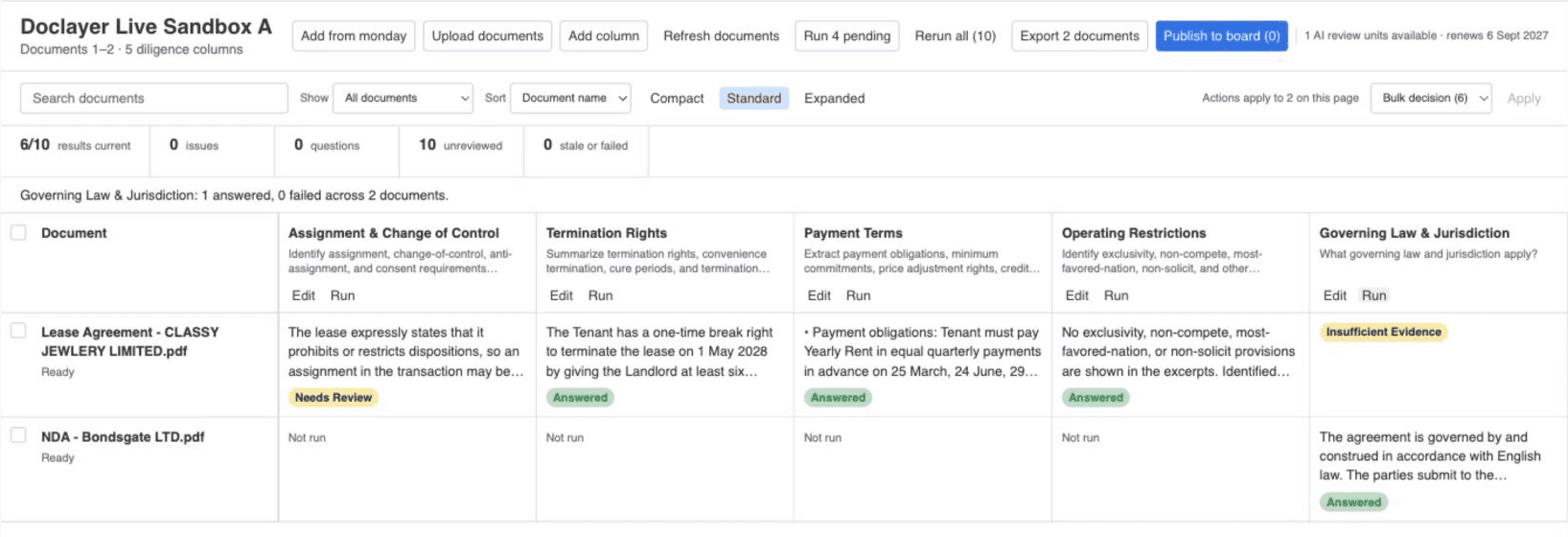
Two views. The Doclayer Matrix board view is the review table: Documents as rows, Questions as columns, Cited Answers in the cells. The Doclayer Project item view opens one item's review from inside that item. Both are read-only for monday Viewers and fully usable by members once an account administrator has set the app up once.
How a review maps onto monday
| In monday | In Doclayer |
|---|---|
| A file attached to a board item | A Document row in the review |
| A question the team needs answered | A column, applied to every Document |
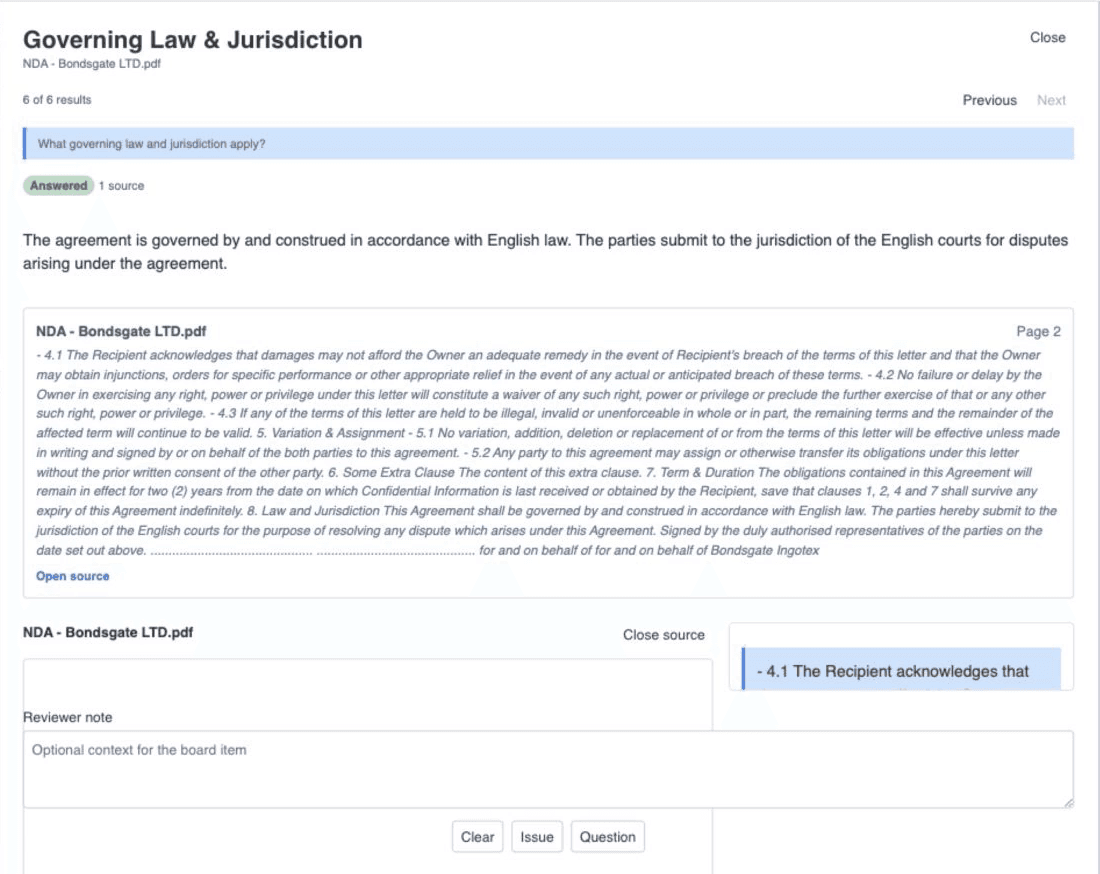
| The answer for one Document | A cell with a citation to the source page |
| A reviewer's decision | Clear, Issue, or Question on the cell |
| An approved Issue or Question | A new item on the board, with owner, status and due date |
| The whole review | An Excel export attached to the board |
monday stays the system of work. Doclayer keeps the processing, the citations, the usage accounting and the audit trail, and writes to the board only what a reviewer has approved.
A review, step by step
- Add the Doclayer Matrix view to the board that holds the files. An account administrator selects Set up Doclayer once and authorizes the app.
- Choose Add from monday, search the board's attached files, and select the ones to review. Files that are not on the board can be uploaded directly.
- Write the Questions, up to 15 per review. Reuse a set from an earlier review or start from one of the use case templates.
- Confirm the plan and run. Cells fill as each Document is processed, and the table keeps updating without a refresh.
- Open any cell to read the cited passage beside the answer. Mark it Clear, Issue, or Question, and add a note if the next reader needs one.
- Publish. Approved Issues and Questions become board items with the citation attached. Or export the whole table to Excel and attach it to the board.
What it does not do
It does not read boards or files you have not pointed it at. It does not write to the board on its own. It does not answer from general knowledge: if the selected Documents do not support an answer, the cell says insufficient evidence. And it does not run in monday automations or workflows yet; the review is started by a person.
The full list of permissions the app requests, and what each one is used for, is on the security page.
Where teams use it
- M&A due diligence: the same questions across every contract in a data room.
- Private equity: a standard question set reused deal after deal, and across portfolio companies.
- Any board with a folder of similar documents: leases, supplier agreements, policies, grant reports, RFP responses.
Pricing
Plans are bought through the monday Marketplace and cover one monday account with unlimited authorized users. You pay per reviewed Document, not per seat. Details and the free trial are on the pricing page.